Deliver and maintain › Solution Design Reference (SDR)
SDR Structure
The five delivery documents this module is built on Business Requirements Document·Solution Design Reference·Technical Specification Document·Validation Report·Implementation Project Plan
Analytics project delivery documents
The requirements are signed. Thirty-six rows, four objectives, six things ruled out, phases agreed. Everybody in the room understood that document, which is what made it signable.
Now something has to be designed, and the question is what a design of an analytics implementation even looks like on a page. It is not a diagram. It is not a list of variables. It is a set of blocks, one per thing the site will do, and the shape of a block is the whole grammar of the document.
Open the second workbook beside this page and go to the Commerce sheet. The block described below is KES-S005, near the top, and every claim made about it here is one you can check against the rows in front of you.
One solution, one ID, and a block of rows beneath it
A solution is one thing that happens on the site and everything that goes out when it happens. A product is added to the cart. A search is run. An order completes. Each of those gets an identifier, a line describing it, and then a row for every variable and every event the moment needs.
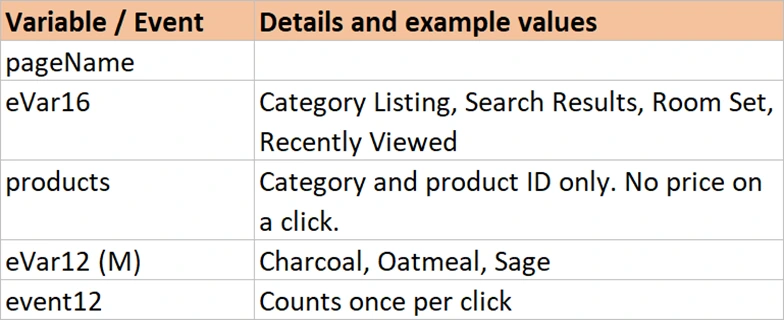
The first row of the block carries the identity: the solution ID, the requirement IDs it answers, the component of the site, and the plain sentence. Every row after it is blank in those four columns and carries one variable. Read down and you see the whole moment. Read across the top row and you see what it is for.
| Solution ID | Requirement ID | Component | Requirement | Variable | Name | Details |
|---|---|---|---|---|---|---|
| KES-S005 | KES-R003 | Cart | A product is added to the cart from the product page | pageName | Page | |
| eVar17 | Cart Addition Source | Product Page, Quick View, Room Set, Wishlist, Reorder | ||||
| products | Product | Includes quantity and price | ||||
| eVar12 (M) | Product Colour | Charcoal, Oatmeal, Sage | ||||
| scAdd | Cart Additions | Adobe reserved event |
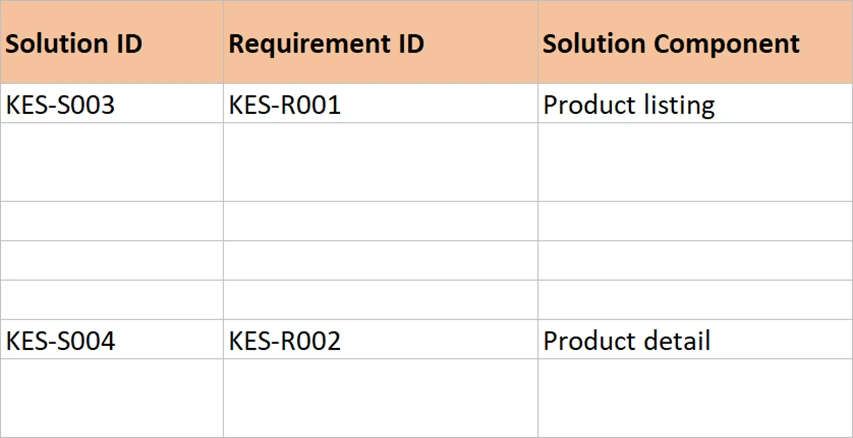
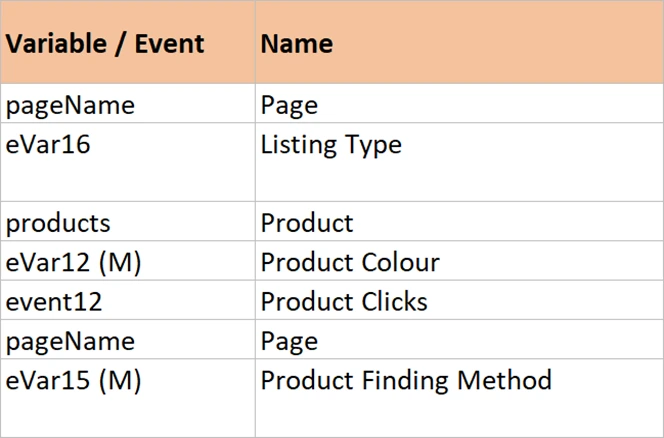
Five rows, and a business reader can follow every one of them. They asked to know what goes in the cart and where it was added from. The answer is sitting there: the product, the source, the colour, and a count. Nobody had to explain what an eVar is for that sentence to land.
Compare that with the same information in an inventory. eVar17 would sit in a list between eVar16 and eVar18, and its neighbours would be Listing Type and Delivery Option, two things it has nothing to do with. The block puts the variables that fire together next to each other, which is the only arrangement that matches how the site actually behaves.
The seven columns, and what each one is for
Seven columns carry the design. Adding an eighth is common and usually fine. Removing one of these is where documents start failing.
| Column | Holds | The job it does |
|---|---|---|
| Solution ID | KES-S005 | The handle everything else uses. Quoted in the technical document, in every test result, and in every status call |
| Requirement ID | KES-R003, or STD | Traces back to who asked. STD marks a solution every site needs and nobody requests |
| Solution component | Cart | Groups solutions that share a shape, so a reader can find the checkout without reading the search |
| Requirement | One sentence | The row a business reader recognises. Without it the block is unreviewable |
| Variable or event | eVar17, scAdd, event4 (M n) | The slot. Notation in brackets carries the technical setting: (M) merchandising, (n) numeric |
| Name | Cart Addition Source | The report name, agreed here rather than invented during the build. This is what appears in Workspace |
| Details and examples | Product Page, Quick View, Room Set | The format and real values. This column stops a developer and an analyst reading the same word differently |
The last column earns its place more often than it looks. A row that says eVar17 is Cart Addition Source is agreement in appearance only. One person pictures Product Page and the other pictures PDP. Neither of them discovers the difference until a report holds three values where there should be one.
Requirements and solutions do not map one to one
The neat picture is one requirement, one solution, one ID pair. It happens often and it is not the interesting case. Four patterns come up on every project, and the reason the two documents have separate numbering is that they have to.
| Pattern | Example | Why it happens |
|---|---|---|
| One to one | KES-R011 discount codes becomes KES-S014 | The request describes one moment on the site. Most rows are this |
| One requirement, several solutions | KES-R003 add to cart becomes KES-S005 and KES-S006 | The customer sees one action. A product page and a quick view overlay are two builds |
| Several requirements, one solution | KES-R007 and KES-R012 both become KES-S010 | The delivery step and the delivery option happen in the same instant, so one call carries both |
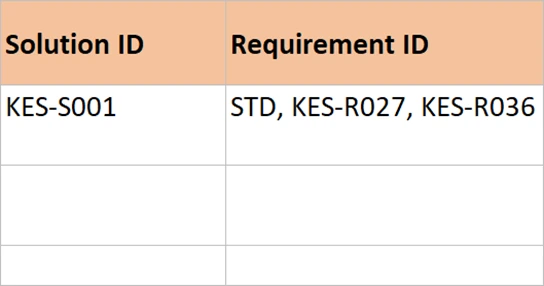
| No requirement at all | KES-S001 global page load, marked STD | Nobody asks for a page view. Every implementation needs one and it is the largest solution in the document |
That last row is worth sitting with. The single biggest block in any SDR is the one that fires on every page, carrying page name, section, category, login state, customer ID and the timing events. No business person will ever request it, because it is not a question about the business. Leave it out and every other solution in the document collapses, because they all inherit from it.
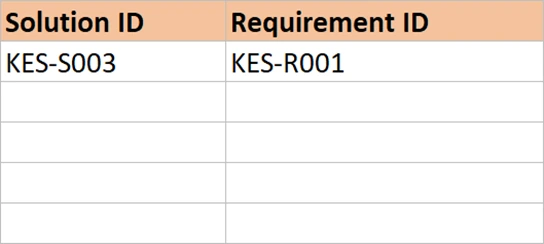
Once a document is finished, one or two variables will appear in almost every solution. Page name is in all twenty-four blocks of the worked example. Login status is in most. That repetition looks like waste in a spreadsheet and it is the opposite: it is the record that every moment on the site carries its context. The variable map at the back is where you see that pattern in one view, and that is one of the things Variable Mapping is for.
Sheets are themes, not chapters
Split the solutions across sheets by what they are about, not by the order they were written. Global variables. Commerce. Engagement. Configuration. A person wanting to know how the checkout works opens one sheet and finds every checkout solution together.
Themes also make the phasing visible. When Phase 2 arrives with filters, sorting and reviews, most of it lands on one or two sheets, and the sheets that carry the money are untouched. Ordering by requirement number instead would scatter Phase 2 through the whole document.
The things nobody put in the BRD but every implementation needs
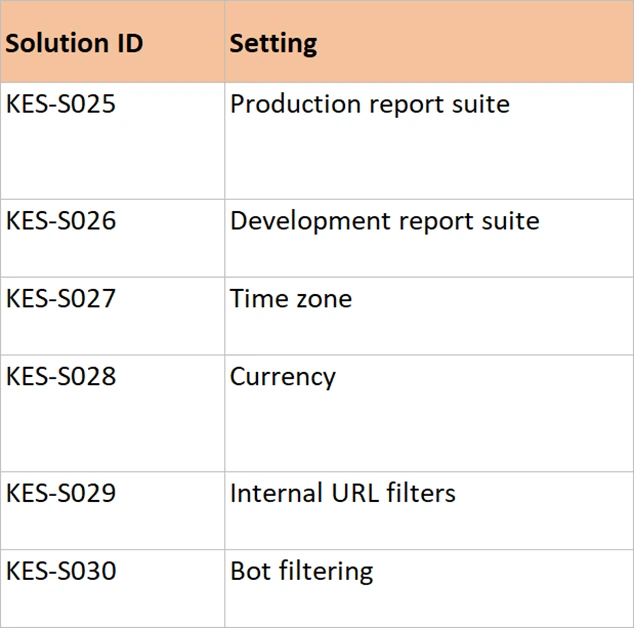
Some of what an implementation requires never appears as a requirement, because it is a setting rather than a behaviour. It still has to be designed, agreed and tested, so it belongs in the SDR with an ID like everything else.
The report suites, production and development. The time zone and the currency, both of which are set once and cannot be changed later without rewriting history. The internal URL filters, without which every internal link arrives as a referring site. Bot filtering. The marketing channel rules, where the order of the rules decides the answer. The classifications that turn a campaign code into a campaign name somebody can read. Any processing rule that shapes a value after collection.
And one more that deserves its own sheet: the product string. It is not a variable, it is a structure with fixed positions, and eleven of the twenty-four solutions in the worked example depend on it. Define it once, with an example, and every block that uses it can point at the definition instead of repeating it.
Where the design stops being negotiable
The BRD carried a rough sketch of dimensions and metrics, deliberately loose, so that a business reader could picture the report. The SDR is where that sketch becomes a decision. Five variables means five. One counter event and one numeric event means exactly that, and the numeric one is currency.
This is the moment to be precise, because everything downstream inherits it. The technical document turns each row into an instruction. The test plan checks each row. The report suite gets configured from the variable map. A row left vague here becomes a question in the build, and a question in the build becomes a guess.
It is also the last cheap moment. Changing a design in a spreadsheet costs a row. Changing it after the rules are built and the data layer is written costs two teams a week.
That curve is not an analytics fact. Every project has a point where a decision stops being an edit and starts being rework, and the job of a design document is to pull as many decisions as possible to the left of it. Naming that moment, out loud, in front of the people who can still change their minds, is most of what design review is for.
The change log is part of the document, not a courtesy
Add a sheet with four columns: date, version, the IDs affected, and what changed. Then write in it every single time something moves. It takes twenty seconds and it is the sheet people read most in month six.
The reason is that numbers change and nobody remembers why. Cart additions look different from March onward, and the log says that KES-S006 was added on 24 March because the quick view overlay was not covered. That is a two-second answer to a question that otherwise costs an afternoon.
The log also has a use nobody expects: recording things that were considered and dropped. A slot reserved for a cart value event and then abandoned should be written down, with its reason. Otherwise somebody assigns that event next year and then finds old data sitting in it.
Filling in the SDR workbook
The eight sheets and the seven columns are already there. The work is deciding what goes in the blocks, and the order below exists because getting one part wrong makes the next part twice as long.
- Part one, the global block
- Open the SDR at Global Variables and rewrite KES-S001 for your own site, keeping the shape. Do this first. It is the largest block, everything else inherits from it, and settling it here stops the same twelve variables being redesigned inside every later block.
- Decide whether you need the second block, KES-S002, for views that change without a page load. Delete it if the site has no such views. Leaving a solution in the document that nobody will build is worse than not having designed it.
- Part two, the moments
- Work through the requirements in order, writing one block per moment on the site. When one requirement needs two moments, write two blocks with two IDs, as KES-S005 and KES-S006 do. When two requirements happen in the same instant, write one block carrying both requirement IDs, as KES-S010 does.
- Rename the theme sheets to match your own site, and move blocks between them until each sheet reads as one subject. A retail site splits into commerce and engagement. A publisher would not. The test is whether somebody asking how the checkout works can open one sheet.
- Fill the details column with real example values rather than descriptions of values. Charcoal, Oatmeal, Sage beats "the colour of the product" every time. Examples are what make two people agree they mean the same thing.
- Part three, the back of the document
- Rewrite the Product String sheet for your own catalogue, position by position, and keep the two-product and empty-position examples. Those two examples are the most-used part of that sheet. Comma separation between products and a missing element still holding its place are the two faults that recur on every build.
- Work through the Configuration sheet and change every value to yours: report suites, time zone, currency, URL filters, channels, classifications. Each one keeps its own ID, so each one gets tested and signed off like any rule. A configuration item with no ID is one nobody checks.
- Fill the Variable Map from the blocks, then read it back the other way looking for one slot doing two jobs. This pass finds real mistakes. A collision is obvious in the map and nearly invisible across forty blocks sitting on four sheets.
That is a complete design. One block per moment, four support sheets, and every row traceable to a requirement. None of that is a ceiling: a site with an app alongside it will want a platform column, and a multi-brand programme will want a sheet per brand, so add either when the project has one.
The document a developer has not read yet
What exists at this point is a complete design that a business reader can approve. Every moment on the site has a block. Every block has an ID, a requirement behind it, and a list of what goes out. The configuration is written down. The product string is defined once. Nothing in it assumes knowledge of the tag manager, and that is deliberate, because the person signing it does not have any.
Which means it also cannot be built from. Nothing here says which rule fires, what the direct call is named, which object on the page holds the colour, or what has to happen before what. That layer is the technical document, and the useful discovery is that it is not a new document at all. Developer Instructions covers the eight columns that get added to the right of these seven. It also covers why two audiences sharing one file is the point rather than a compromise.