Start with the foundations › Report Suites
What Are Report Suites
The fundamentals module covered what Adobe Analytics is. The more useful question here is what it actually does, and the answer is a single word: data. Adobe Analytics is not a video player, a spreadsheet, or a storefront. It is a machine for turning behavior into data, and data is only valuable once it is organized, stored, logically connected, and solid enough to carry real statistical analysis and produce trustworthy insights. The very first step in that direction is logical classification: deciding what data belongs together and what should be kept apart. The report suite is Adobe Analytics' answer to that classification problem.
A report suite is the concrete container your data lives in: the actual box that every hit lands in and is stored against. You can have one or many, and deciding how many, and where to draw the lines between them, is the central question of this entire module.
How many boxes do you need?
Picture an organization with more than one digital presence. A company operating across the globe might run a separate website for each country. An automobile manufacturer might have three business units, heavy vehicles, commercial vehicles, and consumer vehicles, each with its own site, plus a separate platform for spare parts and accessories. A B2B firm with only a handful of customers but high-stakes transactions might run both a web platform and a mobile app, two surfaces it needs to track distinctly. Every one of these raises the same question: should this data live together, or in its own container? That is the report-suite question, and it has no single right answer, only a right answer for your business.
A useful way to think about it: when you move house, you do not throw everything into one box. You separate the kitchen from the living room from the clothes from the crockery, and pack them into labeled boxes so you can find things later. Report suites are exactly that, boxes for your data, and you decide how to divide what goes where.
But here is where the analogy breaks, and the break is the single most important fact in this module. Moving boxes can be unpacked and their contents mixed back together, because it all belongs to one household, yours. Report-suite boxes are sealed. Once a hit lands in a suite, it stays there. You cannot pour data from one report suite into another, and you can never combine two suites' data in a single report. This is data isolation, and it is the line worth memorizing early because it shapes everything that follows: the boundary of a report suite is the boundary of every question you can ask. Draw the boundaries well and analysis is effortless. Draw them carelessly and you spend years unable to compare numbers that should have lived together.
Adobe does offer a couple of derived report-suite types that soften strict isolation, and it is worth knowing they exist before the sealed-box rule feels like a trap. A virtual report suite lets you carve a focused, segmented view out of a single suite, handy for giving a regional team just their slice of the data. But note the direction: it works within one suite, it does not stitch two suites together. A rollup report suite goes the other way and combines several suites, with an important catch.
A rollup is a single report suite that aggregates the data of several others (up to 40 child suites) as a once-daily job. The catch is that it simply adds the numbers, it does not deduplicate them. A visitor who appears on three of your domains in one day counts as three daily unique visitors in the rollup, not one. It does not reconcile or normalize anything, it sums. It is also a dated feature, and Adobe now steers most teams toward a global report suite instead, which is exactly the trade that global versus individual report suites is about. Knowing a rollup exists is enough for now; you will rarely build one today.
The honest summary is that neither of these undoes isolation at the moment of collection. A virtual report suite gives you a segmented view of one suite; a rollup gives you an additive, undeduplicated total across several. The only way to get a single, genuinely deduplicated view across many properties is to collect them into one global suite from the start, which is the choice that global versus individual report suites weighs.
What defines a report suite
- A unique RSID: every suite has a Report Suite ID (for example
mycompanyglobal), the address your implementation sends data to, plus a friendly title you see in the interface. The RSID is the name on the envelope. - Its own configuration: variables, processing rules, marketing channels, classifications, and settings such as internal URL filters all live per suite. Change one suite's settings and the others are untouched.
- Hard data isolation: two suites cannot be merged in a report. If you split data you later want to compare, no query brings it back together (the read-only workarounds above help in narrow ways, but they cannot undo a true split).
- A fixed time zone: each suite has one, and it defines when "a day" begins and ends for every time-based report. Choosing wrong skews every daily and hourly number you will ever pull.
- A single currency: revenue and currency metrics are normalized to the suite's configured currency.
// The RSID is what your implementation sends data to
s.account = "mycompanyglobal";   // a single report suite

// You can also send one hit to several suites at once
// (multi-suite tagging, covered later in this module)
s.account = "mycompanyglobal,mycompanyus,mycompanyuk";
Notice what comes first in that code: s.account. This is why the report suite sits at the center of data collection itself, not just storage. Every server call, the request that carries a hit to Adobe, names a report suite as its destination before anything else. The suite is the first thing every hit declares. You will see exactly how that request is built in the data collection module; for now the point is simply that the report suite is where data collection both begins and lands.
Report suites are easy to create, which is exactly the trap. Teams spin them up casually, split data prematurely, then discover that isolation means the pieces can never be compared in a report. Time zone is the other classic: set it wrong and every daily report is quietly off, with no clean retroactive fix, because data is recorded forward, not backward. Decide your structure and core settings deliberately before data starts flowing, not after you need the answer.
The rest of this module is really about drawing those boundaries well: how many suites and how to divide them (Global vs Individual Report Suites), how to get a focused view without re-collecting anything (Virtual Report Suites), the settings themselves (Report Suite Settings), and how to feed several suites from one implementation (Multi-Suite Tagging).
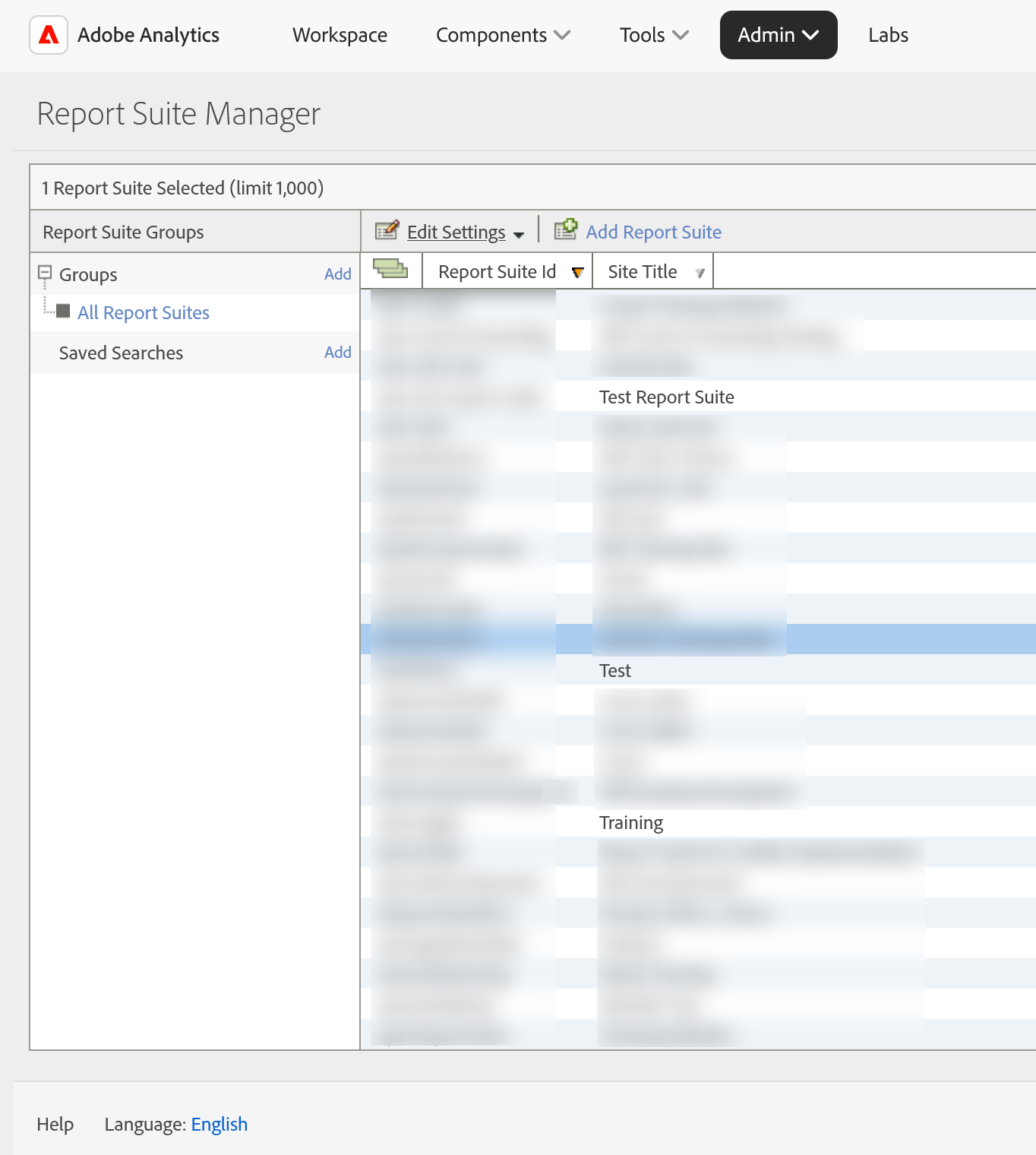
Report Suite Manager: Admin → Report Suites
Create New Report Suite: Admin → Report Suites → Create New
This article focuses on the concepts, architecture, and practical guidance behind the topic. For the latest UI walkthroughs and step-by-step implementation instructions, use the links below. They leave this site and open Adobe's own documentation in a new tab.